1
Step 1
Create a Phone Extension
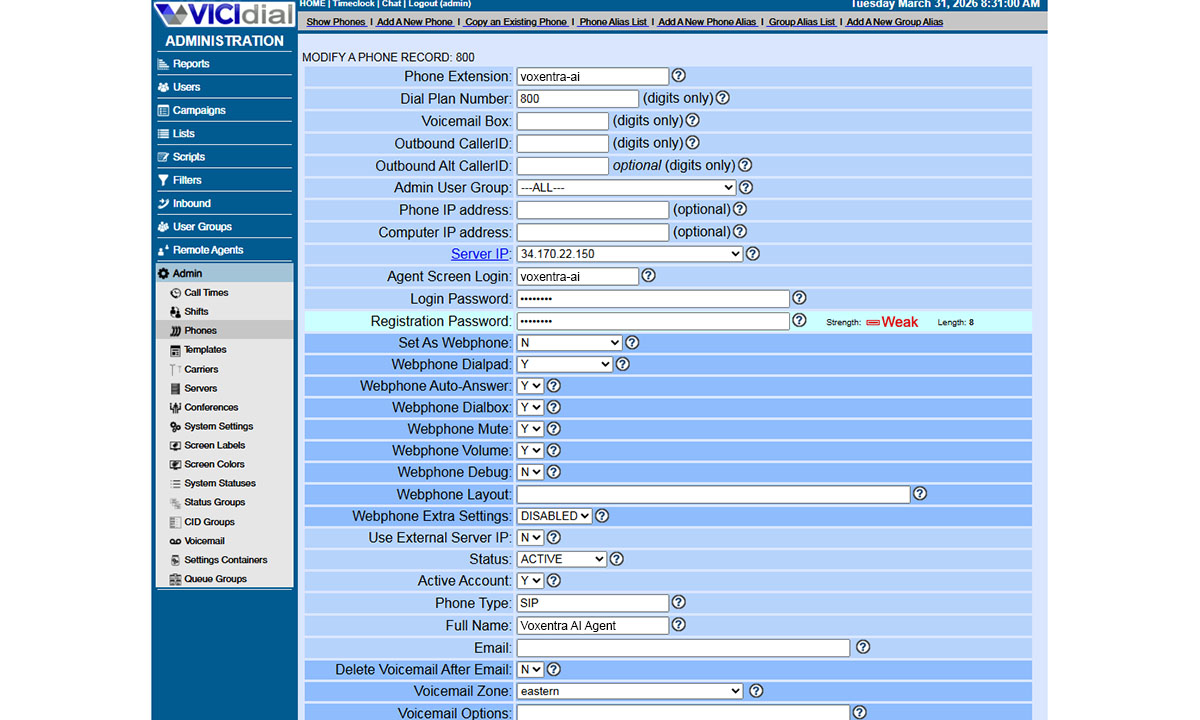
This is the same as adding a new phone or agent to your system.
- 1. Log into your VICIdial admin panel.
- 2. Click Admin in the top menu.
- 3. Click Phones on the left sidebar.
- 4. Click Add a New Phone at the top.
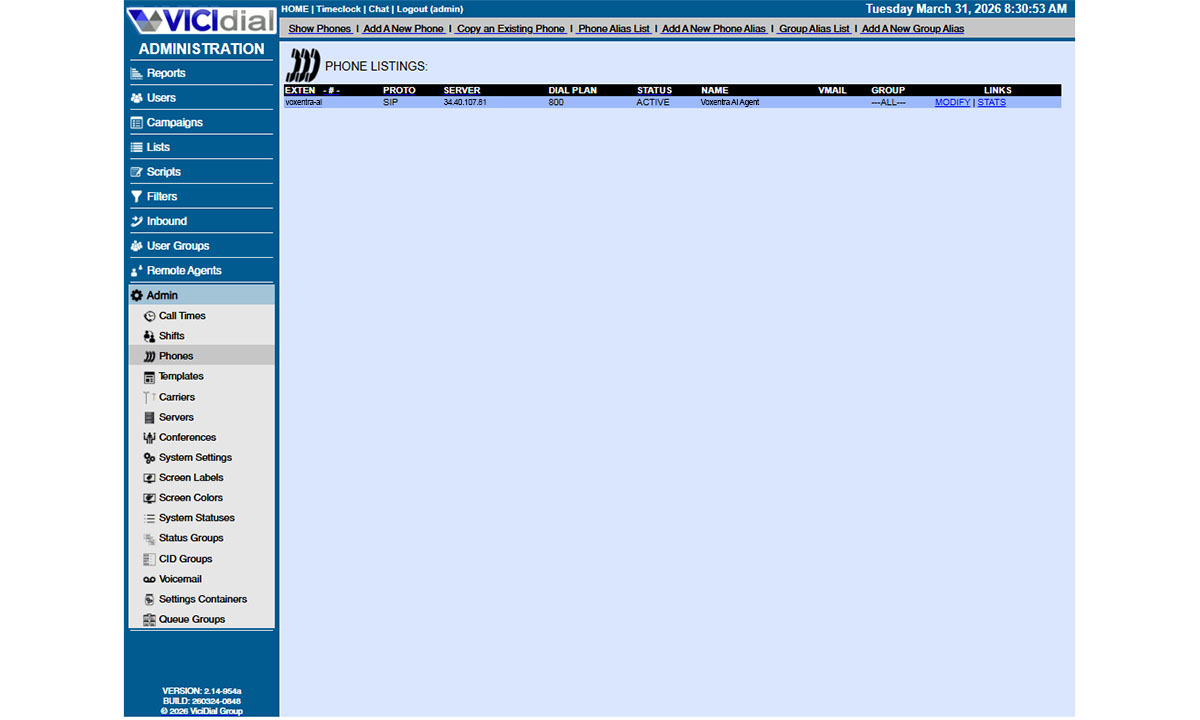
Fill in these fields:
| Field | What To Enter |
|---|---|
| Phone Extension | voxentra-ai or the exact value Voxentra gave you. |
| Dial Plan Number | Pick any unused number like 800 or 8400. Write it down. |
| Server IP | Select your VICIdial server from the dropdown. |
| Protocol | SIP |
| Registration Password | Use the password Voxentra gave you. |
| Active | Y |
| Voicemail | Leave empty or set to N. |
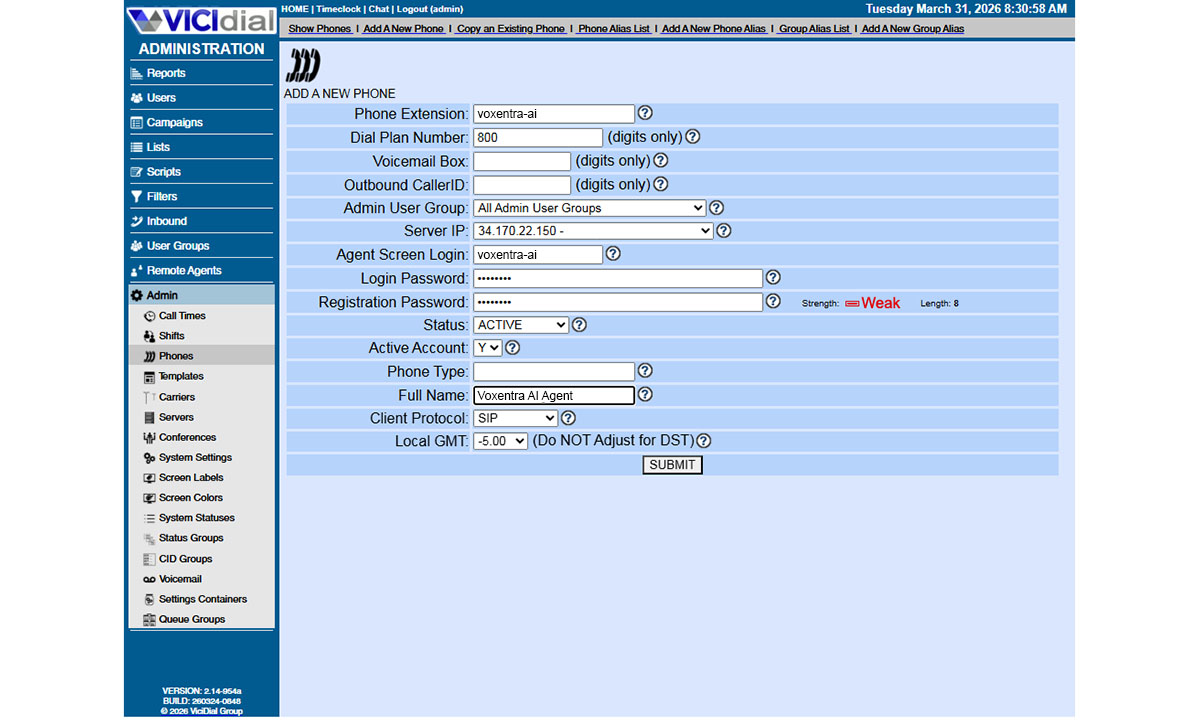
Click Submit at the bottom.